
Chapter 11: Creative Studio Lighting (RGB & Effects)
Create bold, cinematic looks using RGB lighting, color, and practical effects
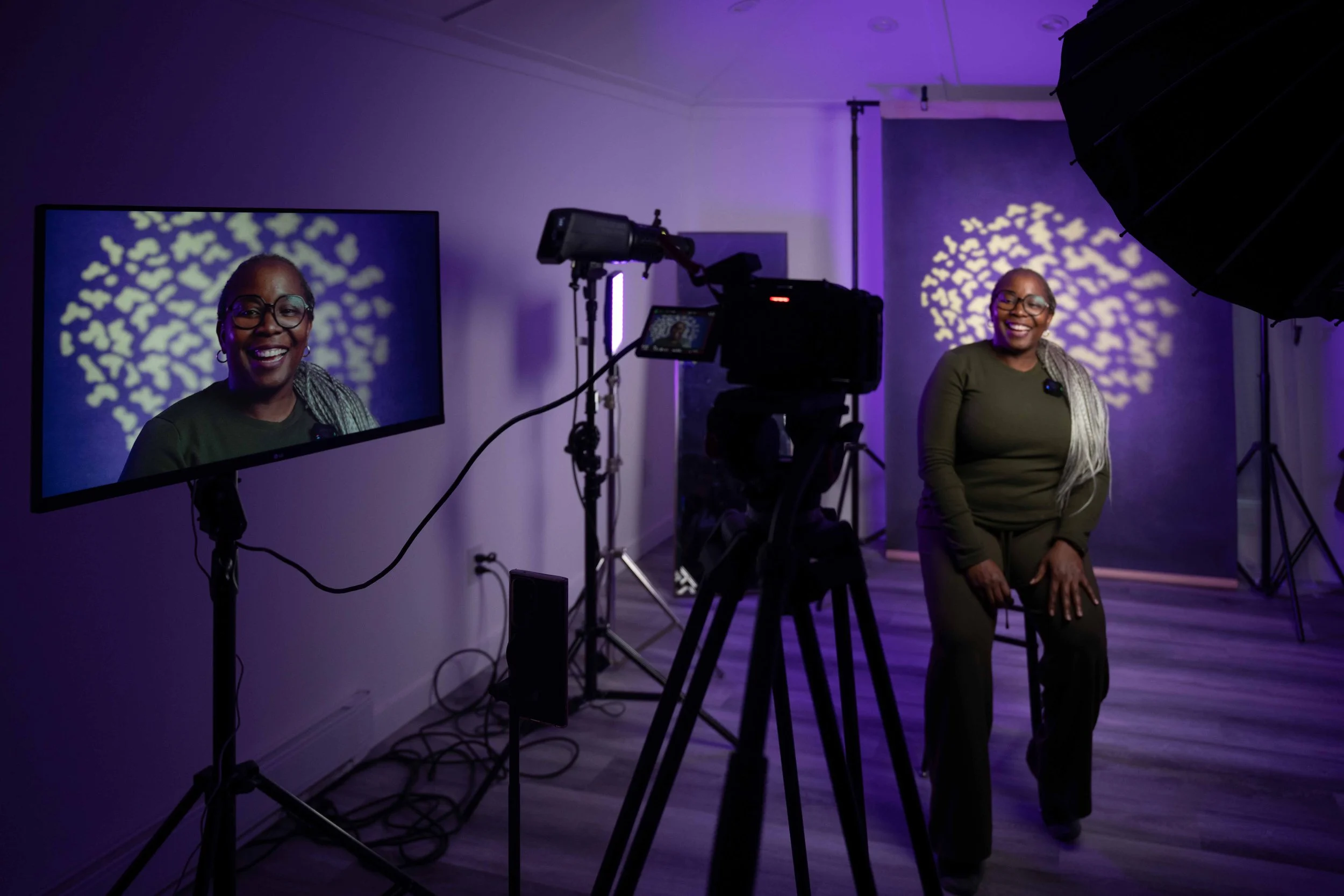
In this lesson, we break down how to use RGB constant lights to transform your shots. You’ll learn how to create bold, eye-catching lighting setups for portraits and video - all using simple, easy-to-control lights in the studio.
What You’ll Learn This Week
Creative Studio Lighting (RGB & Effects)
In this lesson, we move beyond basic lighting and start creating more stylized, professional looks using RGB constant lights, neon-style setups, and spotlight effects.
You’ll learn how to take simple interview or talking head setups and elevate them into something visually engaging — without overcomplicating your gear or workflow.
We’ll be using Amaran lights and the Sidus Link app to control everything easily and build lighting setups that are both creative and repeatable.
By the end of this lesson, you will understand:
• How to use RGB constant lights to create bold, eye-catching looks
• How to build clean, professional talking head and interview setups
• How to add depth and color using neon-style lighting techniques
• How to use spotlight effects to shape and control your light
• How to quickly adjust and control lighting using the Amaran app
• How to create multiple looks using the same simple setup
• How to balance creative lighting while still keeping subjects properly exposed
• How to experiment with color and mood without overdoing it
This lesson is about creativity, control, and building lighting setups that actually stand out.
Lesson 11 Downloads
These are the digital versions of the handouts you’ll receive in class. Download and save these to your computer for easy reference.
If you misplace your printed handout, this is your backup copy.
🎥 Chapter 11 Video
This is your Lesson 11 video walkthrough. Watch this before class to prepare, or revisit it afterward to reinforce what we covered in the studio.
Take notes as you watch. Don’t worry about mastering everything at once - we’ll build this skill together through hands-on practice.
Assignment - Creative Lighting Inspiration + Practice
This week is about training your eye just as much as your hands.
Part 1: Lighting Inspiration (Required)
Spend some time exploring creative lighting setups online.
Look on:
YouTube
Instagram
Pinterest
Tiktok
Search for:
“RGB lighting portraits”
“creative interview lighting”
“neon lighting photography”
“cinematic talking head lighting”
👉 Find 3 examples that stand out to you.
For each one, write a few notes:
What do you like about the lighting?
What colors are being used?
Where do you think the lights are placed?
What kind of mood does it create?
Part 2: Create Your Own Version (Optional but recommended)
Using whatever you have available (lamps, window light, TV light, phone screen, etc.), try to create a more stylized lighting setup.
This could be:
A portrait
A short video clip
A talking head setup
Focus on:
Adding color or contrast
Creating depth
Making the shot feel more intentional
👉 Don’t worry about perfection - this is about experimenting.
Submission
Upload:
Your 3 inspiration examples (screenshots or links)
Your own photo/video (if you complete Part 2)